

IJ7 App for Android
IJ7 App brings the IJ7 Game lobby, account controls, promotions and wallet functions together in one Android application. Once installed, users enter through the mobile-number access flow and can move between the featured games, provider collections and My Profile without returning to the browser for each task. The app separates gameplay from personal account settings: the lobby is where game categories appear, while verification, password management, balance records and wallet services have their own screens.
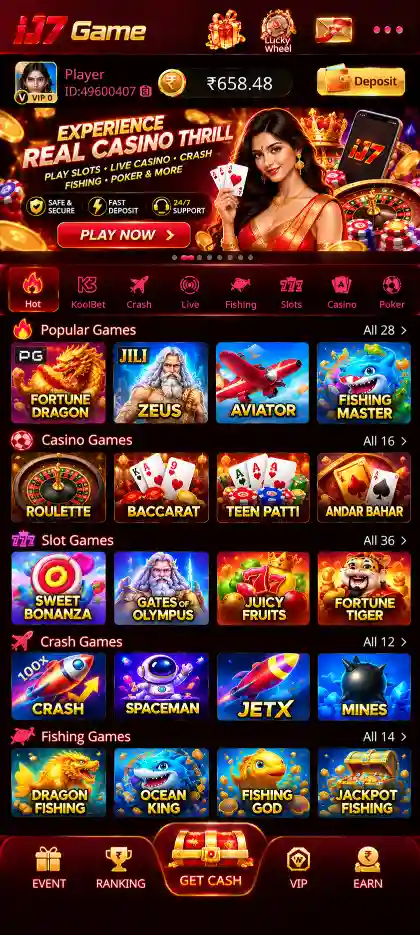
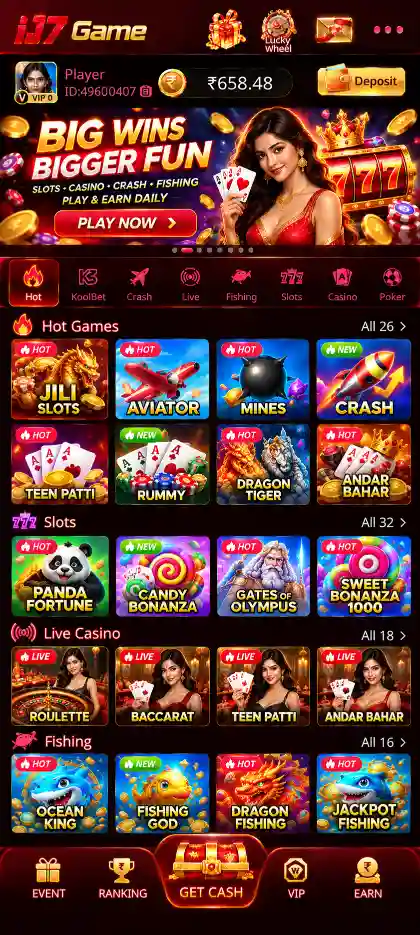
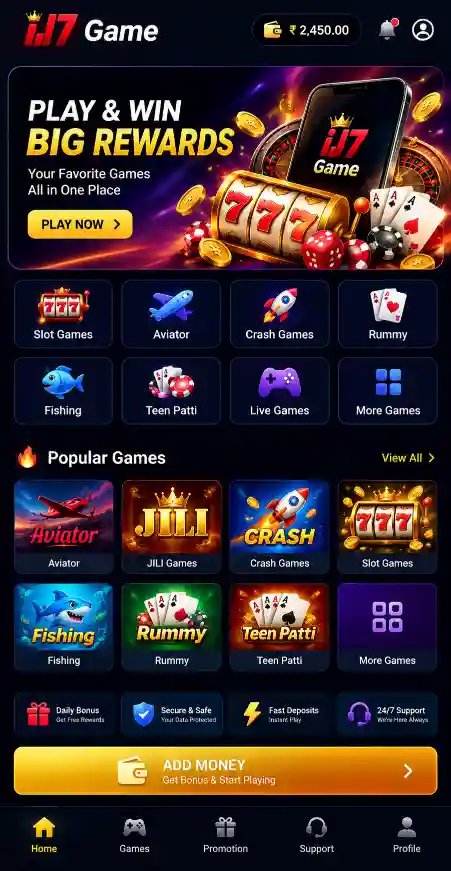
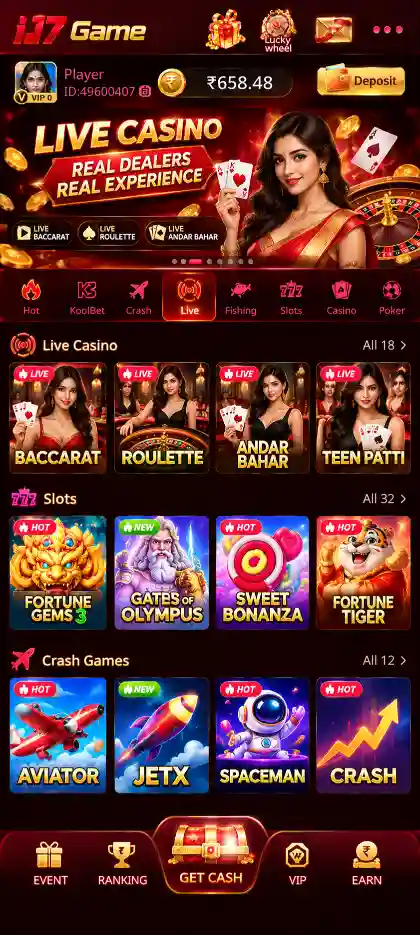
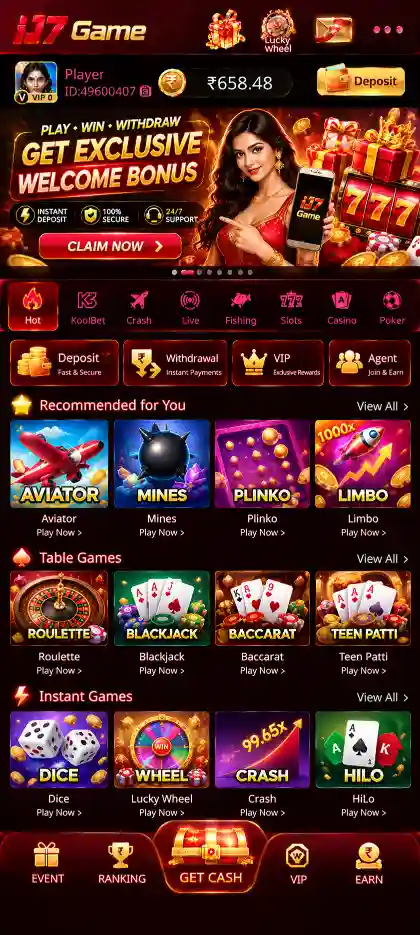
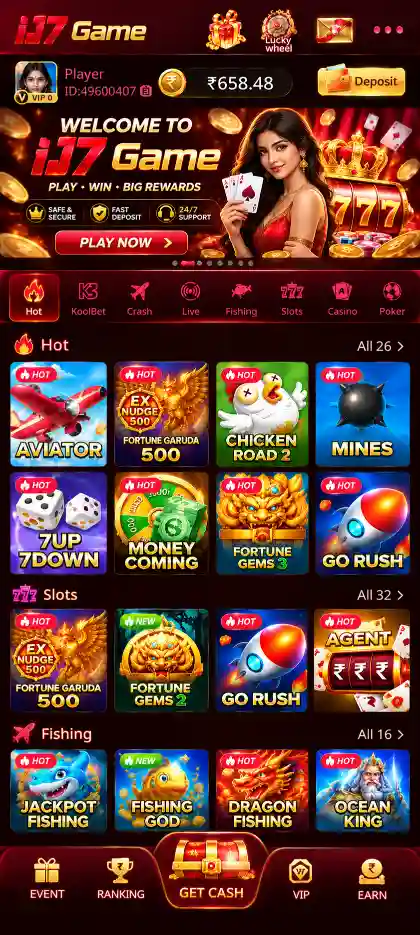
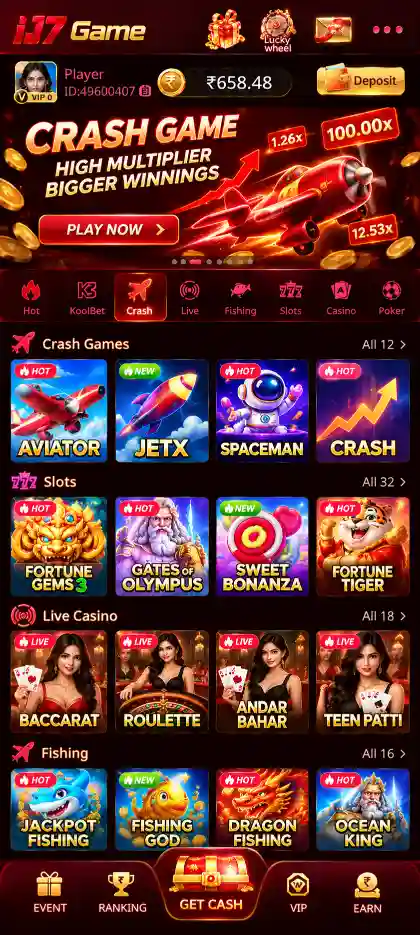
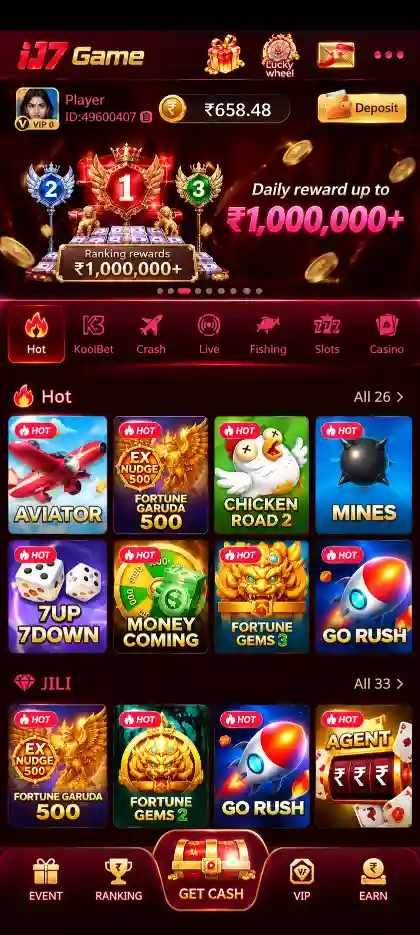
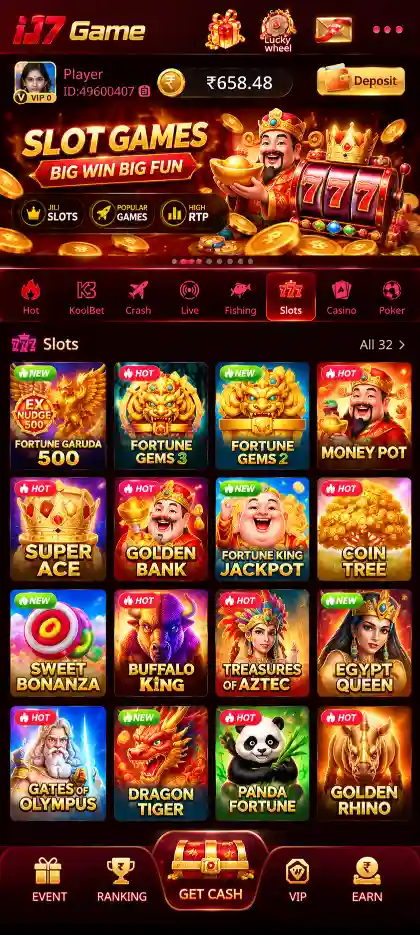
The app is particularly useful for moving between different game formats. Hot contains quick-round choices such as Aviator, Mines, Plinko and Dice. Poker groups card titles including Teen Patti and Rummy. Separate Slots, Fishing and Casino areas give each format its own place in the navigation, while labels such as JILI, PG, Pragmatic Play, Evolution and KoolBet identify additional collections. Knowing this structure makes the app easier to use than searching for every title from the same screen.
This guide explains the installed IJ7 experience: where important controls are located, how an account is accessed, what the wallet screens contain, and how to resolve common Android problems. To obtain the installation file, visit the IJ7 Game Download page. For Android package permissions and setup, use the IJ7 APK guide.
IJ7 App Details
IJ7 App runs on Android. The version and package details below identify the application and its installation file.
The 21.87 MB APK size is separate from the storage Android uses for installed data and updates.
Understanding the IJ7 App Interface
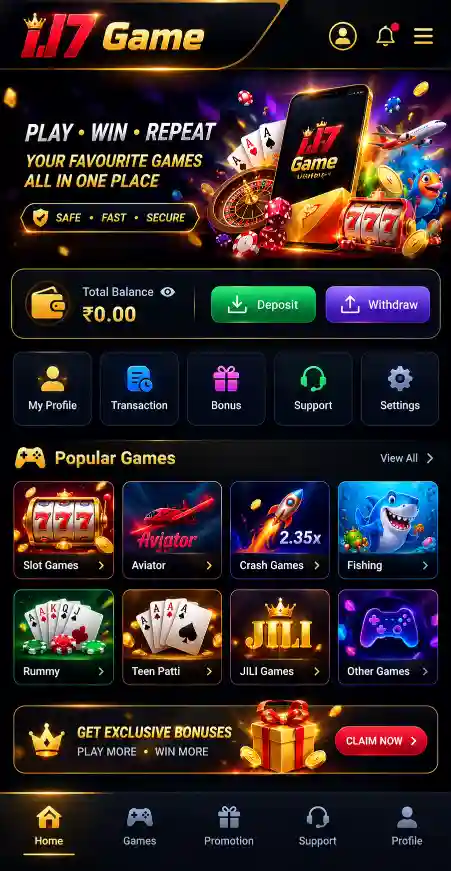
IJ7 organises its main navigation around two different tasks: selecting a game and managing an account. The lobby presents categories and named collections; My Profile gives access to account options, password controls, Balance Records and Live Support. The Wallet area separates Deposit from Withdraw so that the information needed for adding funds does not get confused with the details needed to request a withdrawal.
Start by recognising the main tabs rather than opening several tiles at once. Hot is useful when looking for the featured quick-round titles. Poker leads to card games, and Slots and Fishing open their respective collections. Provider-labelled areas are another way to locate a title already familiar to you. A game appearing in both Hot and a provider collection does not necessarily indicate different rules or a different version.
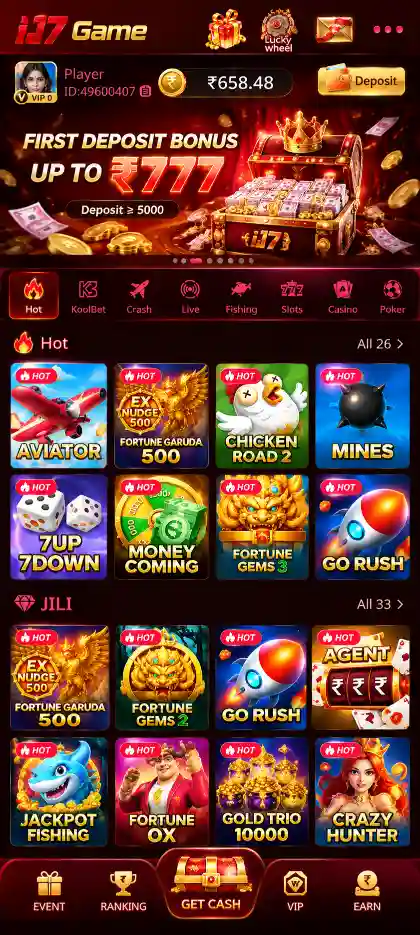
The app also presents promotional panels outside the individual games. First Deposit Bonus, 7 Days Daily Bonus, Ranking and Referral Rewards have different purposes. Each offer has its own conditions, and the associated account or wallet records should be used when checking whether a reward has been credited. Keeping these parts of the interface separate helps avoid mixing game results with promotional information.
Browse Hot, Poker, Slots, Fishing and Casino titles from their relevant sections.
Find titles grouped under JILI, PG, Pragmatic Play, Evolution and KoolBet.
Access account information, login password settings, Balance Records and support.
Use separate Deposit and Withdraw screens to review amounts, balances and requests.
Moving Between Game Categories
When switching games, return to the appropriate category rather than assuming every title has the same controls. Aviator uses a rising multiplier and an end-of-round crash; Mines uses hidden tiles; Plinko follows a ball through pegs; and Dice displays dice-related outcomes. Rummy requires valid sequences and sets, while Teen Patti compares card hands. Each individual game can have additional rules, limits and options available from its own interface.
Slot titles have their own reels, symbols, paylines or paytables. Fishing games use arcade-style targets and controls. Casino and Evolution-labelled collections contain different table or game-show experiences, including Roulette and Crazy Time. Checking the actual rules before starting a title is more useful than relying only on its category or promotional artwork.

IJ7 Games and Collections
Hot Games: Aviator, Mines, Plinko and Dice
The Hot area gathers several quick-round formats that use different decisions and result displays. In Aviator, the multiplier increases until the round ends, and a player must understand the cash-out mechanism before participating. In Mines, the number of hidden mines affects the risk associated with choosing another tile. Plinko uses a peg layout and result slots, while Dice shows outcomes determined by the selected game rules.
The same lobby can also feature Go Rush. Hot is therefore best understood as a featured collection rather than a single genre. A familiar title may also appear elsewhere in IJ7; open the game itself to check the current options. Previous rounds do not provide a dependable prediction of future results.
Slots, JILI, PG and Pragmatic Play
The Slots section is organised around reel-based titles. JILI, PG and Pragmatic Play appear as separate collection labels, helping users recognise groups of games without having to search through the entire lobby. A provider label identifies a collection, not one universal rule set. Two slot games can look similar while using different symbols, paytables, bonus rounds and bet controls.
Before starting a new slot title, open its paytable or rules and read the information about winning combinations, special symbols and available features. Avoid treating the advertised appearance of a particular symbol or feature as proof that it will appear during your session. The rules displayed within the selected title provide the relevant information.
Rummy, Teen Patti and the Poker Collection
The Poker section includes familiar Indian card-game names, notably Rummy and Teen Patti. Rummy involves making valid sequences and sets from a hand of cards, whereas Teen Patti compares three-card combinations. Their rounds, scoring methods and available variations are not interchangeable. The selected game mode determines which rules apply.
KoolBet also contains Rummy and Andar Bahar alongside other titles. When the same game name appears in multiple collections, use the selected entry's own instructions rather than assuming every version or table operates identically. A clear understanding of the round structure is important before using any real-money feature.
Fishing, Casino and Evolution
Fishing titles present moving targets and action-focused controls rather than reels or card hands. The method of interacting with targets, the scoring display and the behaviour of each round can differ between games. The Casino area contains Roulette and card-game choices, while the Evolution collection and Crazy Time show another type of casino or game-show experience.
These categories help users find games with different interfaces. They do not imply identical outcomes or features across a collection. Treat every new title separately and read its instructions before selecting an amount or beginning a round.
My Profile, Mobile Verification and Login Password
IJ7 account access begins with the mobile number. During first-time use, enter the number associated with the download and registration process, select Send Code, and type the verification code received by SMS. Successful verification connects the mobile number to the account and allows access to the main interface. Keep that code private and do not share it with someone claiming to provide account support.
The app also supports password-based login after a password has been created. Open My Profile → Account Section → Login Password. Enter the registered mobile number, request the verification code, and create a password containing 8–32 characters. Confirm the same password in the confirmation field before saving. On a later visit, use the registered number and saved password, completing any additional verification the app asks for.
If you cannot receive the code, first confirm the mobile number, SIM access and SMS delivery. If a password is not accepted, check the entry carefully rather than repeatedly trying unrelated credentials. Dedicated instructions are available in the IJ7 Login guide and IJ7 Registration guide. These pages cover sign-in and mobile binding in greater detail.
Account Records and Support
My Profile also provides access to Balance Records and Live Support. Balance Records can help identify activity recorded against the account, while support is the appropriate place to raise an unresolved login, transaction or account question. When reviewing any account screen, check that the number and details shown belong to the intended account before changing a password or submitting bank information.
Using the IJ7 Wallet
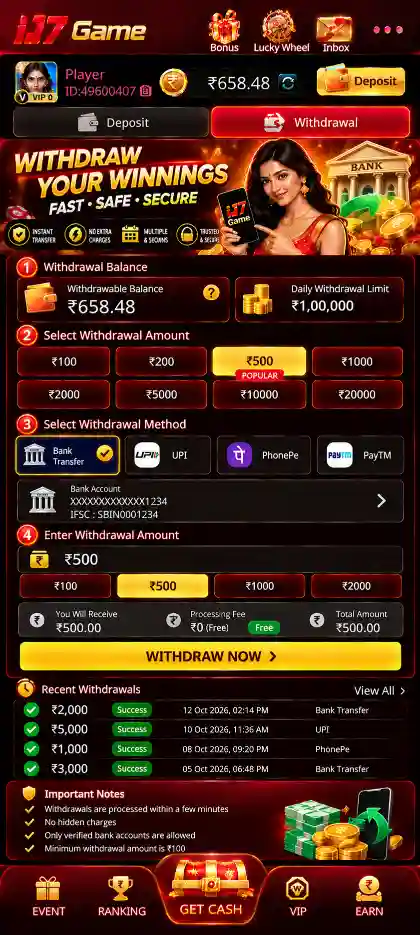
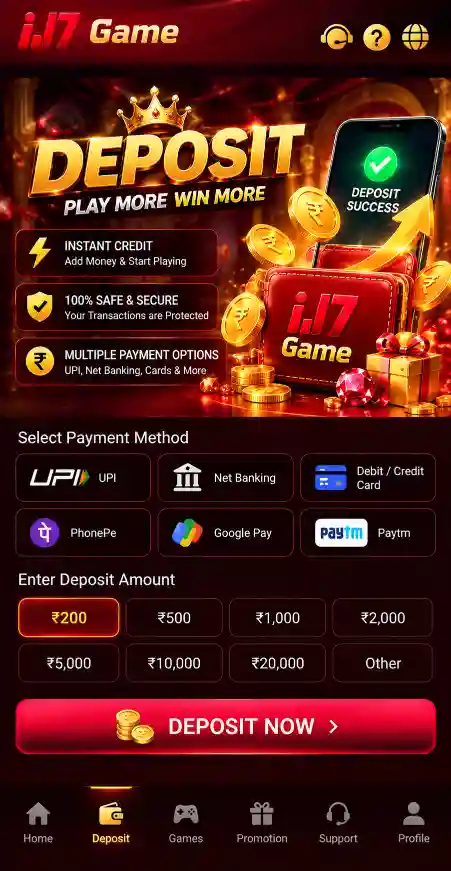
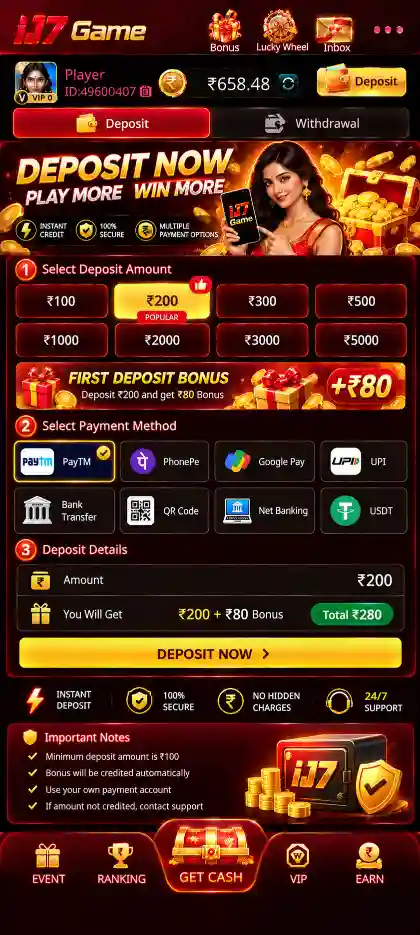
The IJ7 Wallet has distinct Deposit and Withdraw tabs. Deposit presents amounts and payment options, including PayTM, PhonePe or QR Code where available. The supplied IJ7 details show deposit options from ₹100 to ₹5,000. Choose an amount, review the payment instructions and confirm the intended recipient before completing a transaction. The deposit area describes normal crediting within 1–5 minutes and directs users to support if the payment remains uncredited after 30 minutes.
Withdrawal involves a separate set of account details. If no bank account is attached, use the Add Card or + Bank option to enter the account holder's name, account number and 11-character IFSC. The Withdraw screen distinguishes Cash Balance from Withdrawable balance and also displays any outstanding wager requirement, remaining limit and applicable charges. These values matter because the figure shown as cash balance may not be immediately eligible for withdrawal.
The IJ7 withdrawal details show selectable amounts from ₹110 to ₹35,000, a displayed bank commission of ₹6 plus 3%, and an approximate 24-hour processing period under normal circumstances. Review the values shown for your own request before submitting; transaction limits and eligibility can depend on the account. For the complete procedures, see IJ7 Deposit and IJ7 Withdrawal.
Bonuses and Reward Sections
IJ7 includes a ₹200–₹500 bonus offering in the verified app information and has separate promotional areas for First Deposit Bonus, 7 Days Daily Bonus, Ranking and Referral Rewards. Each area serves a different purpose. The first-deposit panel concerns an introductory payment-related offer, the seven-day area organises rewards by day, the ranking panel displays its own rewards information, and referral promotions concern eligible invitations or related activity.
Look at the eligibility and wagering requirements attached to the offer you intend to use. The first-deposit information includes a 3× deposit wagering requirement. Promotions and the outcome of individual games should never be treated as the same thing: an offer may have separate steps before a reward is usable, and real-money game results remain uncertain. For account questions, use the relevant wallet or support tools.
Getting Started After Installing the IJ7 App
Open the installed IJ7 App, verify the registered mobile number when prompted, and confirm that the lobby and My Profile respond normally.
- Open IJ7 from your home screen or app drawer after Android finishes installation.
- Enter the mobile number linked to your account and request the verification code.
- Complete the SMS confirmation and wait for the game lobby to load.
- Check the Hot, Poker, Slots or other collection menus to learn their positions.
- Open My Profile to review your account information and set a login password.
- Use the Wallet only when you intend to review a deposit or withdrawal task.
- Read the selected game rules and promotional conditions before taking part.
Once installed, use the IJ7 icon to open the app. Reinstalling the APK is not part of everyday use.
IJ7 App Version and Updates
The current IJ7 App details identify version 2.3.5. Check the installed version before applying an update. Android can install a compatible newer package over the existing app when its identity and signing details match.
Before updating, check that the intended file is for IJ7, that the download completed successfully and that sufficient device storage is available. Open the downloaded package through the normal Android installer and review the update prompt. Do not uninstall the current application merely because an update screen does not appear; first determine whether Android reports a package conflict, signature mismatch or another specific problem.
For installation permissions, package conflicts and download-specific issues, follow the IJ7 APK guide. Do not ignore Android security warnings.
Keeping IJ7 Responsive on Android
IJ7 includes screens with different technical demands. A simple account or profile screen may respond differently from a graphics-heavy fishing, crash or casino title. If one game freezes while the rest of the app remains responsive, return to the lobby and check whether the issue affects only that title. If the entire app is slow, examine the phone's network connection, available memory and free storage.
Use a stable connection for account verification, live game screens and transaction updates.
Keep room available for the application, its stored data and future installation packages.
Close heavy applications that are competing for memory on a lower-capacity Android device.
Close and reopen IJ7 after a temporary freeze before considering a reinstall.
When a game or wallet screen takes longer than expected to respond, avoid making repeated payment requests or rapid taps while the screen is still processing. Return to the relevant account records to check whether an action completed before trying it again. This is particularly important where a slow connection makes the result of an account action unclear.
IJ7 App Problems and Practical Fixes
IJ7 Does Not Open
Confirm that the Android installation finished rather than stopping at the package installer. Close the application completely, restart the phone and try opening IJ7 again. If Android displays an error, read it before deleting the installed app. Removing an application without understanding the problem may erase locally stored data.
The Game Lobby Keeps Loading
Check whether other websites or apps can use the current Wi-Fi or mobile-data connection. If the network is unstable, change to a reliable connection and reopen IJ7. If only one game fails to load, return to the lobby and try another section to distinguish a single-title issue from a wider application problem.
Mobile Verification Code Does Not Arrive
Make sure the number entered is the registered one and that the SIM can receive SMS. Wait for the expected message and enter the current code exactly as received. Keep the verification code private. If code delivery repeatedly fails, use the app's support route rather than sharing the number or code with an unknown third party.
Password Login Fails
Check that the password was actually created in My Profile and that the same registered mobile number is being used. A first-time user who has not yet set a password should complete the mobile verification flow first. Use the account's available recovery or verification options when needed.
Wallet Information Does Not Refresh
Return to the relevant Wallet tab and Balance Records before repeating a payment or withdrawal request. Confirm whether the last action has been recorded. If a deposit remains uncredited beyond the time described in the account instructions, contact Live Support with the appropriate transaction details. Never share your password or OTP to request payment assistance.
An Update Will Not Install
Verify the package was downloaded completely, that the phone has sufficient storage and that Android is using the expected installer. A mismatch between application packages can prevent an update. Do not disable Android security protections or install unrelated files just to bypass the error.
Account Security and Responsible Use
Keep your registered mobile number under your control, create a private login password and protect verification codes. Review the destination before entering payment details, and use the correct wallet tab for each transaction. Account credentials should not be provided to another person claiming to repair the app or release a reward.
Real-money gaming can involve financial losses. Game results are not guaranteed, and promotional credits can have separate requirements before use or withdrawal. Read the terms presented for the relevant game and offer, observe age and local legal restrictions, and consult the Responsible Gaming page for additional guidance.